In today’s fast-paced digital economy, scaling a business is no longer just about increasing sales—it’s about building efficient, automated, and intelligent systems that can handle growth without breaking. This is where Enterprise SaaS (Software-as-a-Service) tools come into play.
Enterprise SaaS platforms provide cloud-based solutions that streamline operations, enhance collaboration, automate workflows, and deliver actionable insights. Instead of relying on traditional software installations, businesses can now leverage scalable, subscription-based tools that evolve with their needs.
By 2026, SaaS tools have become the backbone of modern enterprises. Companies are increasingly investing in AI-powered platforms, integrated ecosystems, and automation tools to stay competitive.
This article explores the best enterprise SaaS tools for scaling business operations, categorized by function, along with insights into how they help organizations grow efficiently.
Why Enterprise SaaS Tools Are Essential for Scaling
Before diving into the tools, it’s important to understand why SaaS is critical for scaling:
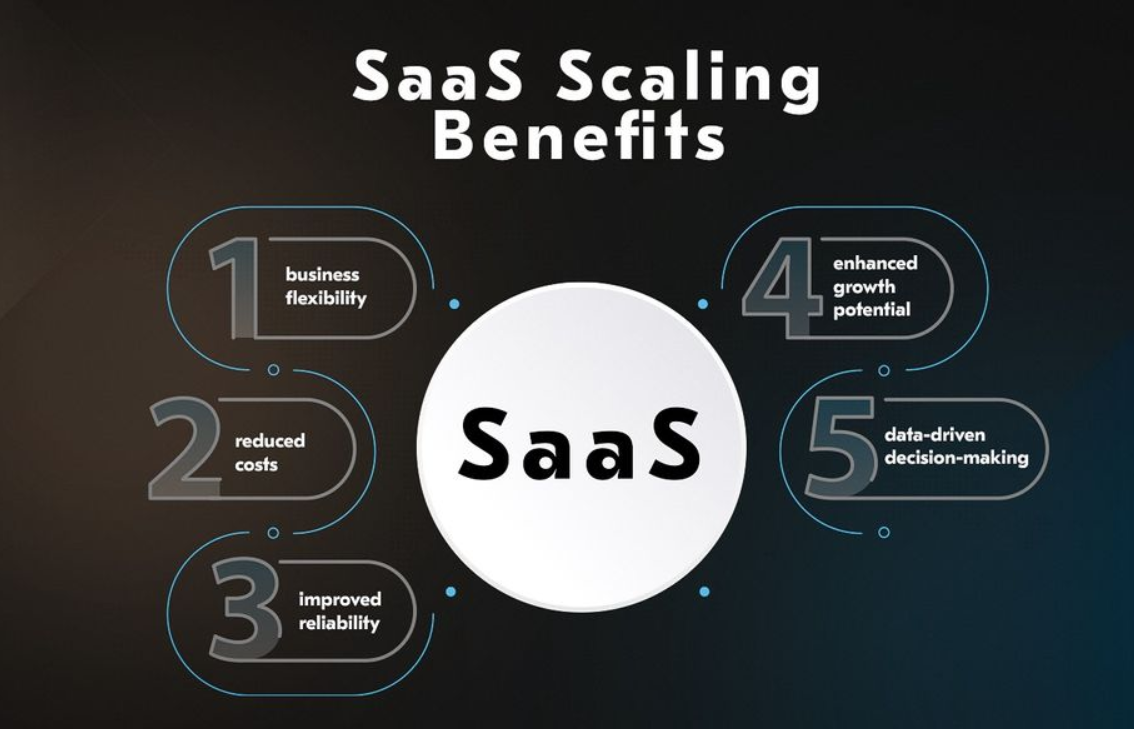
1. Scalability Without Infrastructure Limits
SaaS platforms operate in the cloud, allowing businesses to scale users, data, and operations without investing in physical infrastructure.
2. Cost Efficiency
Subscription-based pricing eliminates large upfront costs and aligns expenses with business growth.
3. Automation and AI Integration
Modern SaaS tools incorporate AI for predictive analytics, automation, and decision-making.
4. Seamless Integration
Most SaaS platforms offer APIs and integrations, enabling businesses to build connected ecosystems.
5. Remote Accessibility
Teams can access tools from anywhere, enabling global collaboration and hybrid work environments.
Key Categories of Enterprise SaaS Tools
To scale effectively, businesses need a combination of tools across multiple operational areas:
- Customer Relationship Management (CRM)
- Collaboration & Communication
- Project Management
- Finance & Payments
- IT Service Management (ITSM)
- Marketing Automation
- Cloud Storage & Data Management
- AI & Automation Platforms
Let’s explore the best tools in each category.
1. CRM & Customer Management Tools
Salesforce – The Enterprise CRM Leader
Salesforce remains the gold standard for enterprise CRM solutions. It enables businesses to manage customer relationships, sales pipelines, and marketing campaigns in one unified platform.
Key Features:
- AI-powered insights with Einstein AI
- Custom workflows and automation
- Massive integration ecosystem
- Real-time analytics
Salesforce is widely used by large organizations due to its scalability and flexibility.
Why It’s Great for Scaling:
- Handles millions of customer records
- Supports global operations
- Customizable for any industry
HubSpot – All-in-One Growth Platform
HubSpot is ideal for businesses looking for an integrated CRM, marketing, and customer service solution.
Key Features:
- Marketing automation
- AI-powered content tools
- Unified customer database
- Advanced analytics dashboards
HubSpot’s unified ecosystem allows teams to work seamlessly across departments.
Best For:
- Startups scaling into mid-size enterprises
- Companies needing marketing + sales alignment
2. Collaboration & Communication Tools
Microsoft Teams – Enterprise Communication Hub
Microsoft Teams has become the backbone of enterprise communication.
Features:
- Chat, video conferencing, and file sharing
- AI-generated meeting summaries
- Integration with Microsoft ecosystem
Teams integrates deeply with other tools, making it essential for large organizations.
Slack – Real-Time Team Collaboration
Slack is another popular collaboration platform focused on messaging and integrations.
Why Slack Stands Out:
- Channel-based communication
- Thousands of integrations
- Workflow automation
Scaling Advantage:
- Improves team productivity
- Reduces internal email clutter
3. Project & Workflow Management Tools
Asana – Project Management Simplified
Asana helps teams plan, track, and execute projects efficiently.
Key Features:
- Task tracking and automation
- Timeline and workload views
- Collaboration tools
Asana’s automation reduces manual work and improves project visibility.
Jira – Agile Development at Scale
Jira is widely used by software development teams.
Features:
- Agile boards (Scrum & Kanban)
- Issue tracking
- DevOps integration
Best For:
- Tech companies scaling development teams
4. IT Service Management (ITSM)
ServiceNow – Enterprise Workflow Automation
ServiceNow is a powerful IT service management platform.
Key Features:
- Incident and change management
- AI-driven automation
- Enterprise workflow integration
ServiceNow helps organizations streamline IT operations and improve service delivery.
Freshservice – Scalable ITSM Solution
Freshservice is a cost-effective alternative for IT service management.
Why It’s Popular:
- Easy-to-use interface
- Automation capabilities
- Scalable pricing
5. Productivity & Workspace Tools
Microsoft 365 – The Business Productivity Suite
Microsoft 365 includes tools like Word, Excel, PowerPoint, Outlook, and Teams.
Benefits:
- Real-time collaboration
- Cloud-based document management
- Enterprise-grade security
Microsoft 365 is a core tool used by over half of enterprises globally.
Notion – All-in-One Workspace
Notion combines note-taking, project management, and knowledge sharing.
Key Features:
- Custom databases
- Collaborative documents
- Workflow automation
6. Cloud Storage & Data Management
Dropbox – Secure File Management
Dropbox provides secure file storage and sharing.
Features:
- Cross-device synchronization
- File versioning
- AI-powered search
Dropbox enables seamless collaboration across teams.
Google Workspace – Cloud Collaboration Ecosystem
Google Workspace includes Gmail, Docs, Sheets, and Drive.
Advantages:
- Real-time collaboration
- AI-powered productivity tools
- Seamless integration
7. Finance & Payment Platforms
Stripe – Revenue Infrastructure
Stripe powers online payments and subscription billing.
Features:
- Global payment processing
- Subscription management
- Financial reporting
Scaling Advantage:
- Supports international expansion
- Handles high transaction volumes
Xero – Cloud Accounting Software
Xero simplifies financial management.
Key Features:
- Automated bookkeeping
- Financial reporting
- Integration with banking systems
8. AI & Automation Platforms
OpenAI Tools – Intelligent Automation
OpenAI provides AI-powered tools for automation, content creation, and analytics.
AI tools are rapidly becoming core components of SaaS ecosystems, enabling smarter decision-making.
Zapier – Workflow Automation
Zapier connects different apps and automates workflows.
Features:
- No-code automation
- Thousands of integrations
- Event-based triggers
9. Emerging SaaS Trends in 2026
Enterprise SaaS is evolving rapidly. Here are key trends shaping the future:
1. AI-First Platforms
AI is now embedded in most SaaS tools, enabling predictive analytics and automation.
2. Low-Code & No-Code Solutions
Businesses can build workflows without technical expertise.
3. Vertical SaaS
Industry-specific solutions tailored to healthcare, finance, and logistics.
4. Hyper-Automation
Combining AI, RPA, and workflows for end-to-end automation.
5. Integrated Ecosystems
Companies prefer fewer tools with deeper integrations.
How to Choose the Right SaaS Stack
Selecting the right tools depends on your business needs. Consider the following:
1. Scalability
Choose tools that grow with your business.
2. Integration Capabilities
Ensure tools connect seamlessly.
3. Security & Compliance
Look for enterprise-grade security features.
4. User Experience
Adoption depends on ease of use.
5. Pricing Model
Align costs with your growth stage.
Building a Scalable SaaS Stack (Example)
Here’s a sample stack for scaling operations:
- CRM: Salesforce or HubSpot
- Collaboration: Microsoft Teams + Slack
- Project Management: Asana or Jira
- ITSM: ServiceNow
- Finance: Stripe + Xero
- Automation: Zapier + AI tools
This combination creates a powerful ecosystem that supports growth across all departments.
Benefits of Using Enterprise SaaS Tools
1. Faster Decision-Making
Real-time data and analytics improve decision-making.
2. Increased Efficiency
Automation reduces manual tasks.
3. Better Collaboration
Teams work seamlessly across locations.
4. Enhanced Customer Experience
CRM tools enable personalized interactions.
5. Global Scalability
Cloud-based tools support international expansion.
Common Challenges and How to Overcome Them
Challenge 1: Tool Overload
Solution: Consolidate tools into integrated platforms.
Challenge 2: Integration Issues
Solution: Use middleware like Zapier.
Challenge 3: High Costs
Solution: Start with essential tools and scale gradually.
Challenge 4: Security Concerns
Solution: Choose vendors with strong compliance standards.
Conclusion
Enterprise SaaS tools are no longer optional—they are essential for scaling modern businesses. From CRM systems like Salesforce to automation platforms like Zapier, these tools provide the infrastructure needed to grow efficiently and sustainably.
The key to success lies not just in choosing the best tools, but in building a connected ecosystem that aligns with your business goals. Companies that leverage the right SaaS stack can scale faster, operate smarter, and stay ahead of the competition.